CHOOSE YOUR VERSION
Prices and access options
Both versions help you explore Elliott waves, alternative counts and nested degrees. They differ in data sources, available history and the workspace you use.
Choose your workspace
Light
For daily, weekly and monthly chart analysis. Built-in international quote downloads, LBC range selection and up to 7 nested degrees. Browser workspace with a Windows module. D1: up to 3 years · W1 and MN1: up to 150 bars.
125 USDT / 3 calendar months
390 USDT / year
Request trial access. The owner provides your username and password; after the trial, you can subscribe for 3 calendar months at 125 USDT. Or annual access: 390 USDT per year.
Pro
A standalone Windows application. Built-in international quote downloads and your own TradingView CSV, saved calculations and flexible history selection.
590 USDT / year
Activation on one computer using its device ID
In the request form, check that Pro is selected and enter your name and email address. The computer ID is optional; if the application is already installed, copy it from the activation page.
Pay with USDT and save 20%. Payment details and available networks are shown at checkout.
Start with the work you want to do.
Light for a focused workflow
You want Yahoo Finance data and daily, weekly or monthly bars in a browser. An installed Windows module is required: it performs calculations on your computer. Light setup and module requirements.
Pro for your own data
You need TradingView CSV files, supported intraday timeframes or longer history. Pro is a separate Windows application with built-in Yahoo Finance loading. Pro installation and requirements.
Features side by side.
| Feature | Light | Pro |
|---|---|---|
| Workspace | Browser + Windows module | Windows application |
| Data | Yahoo Finance | Yahoo Finance and TradingView CSV |
| Timeframes | Daily, weekly, monthly | Daily, weekly, monthly; CSV: 15 and 30 minutes, 1, 4 and 12 hours |
| History | D1: up to 3 calendar years; W1/MN1: up to 150 completed bars | Selected available history; intraday CSV: latest 100–500 source bars |
| Calculation range | All loaded history, LBC or start–finish | All loaded history, LBC or start–finish |
| Calculations | On your Windows computer | On your Windows computer |
| Subscription | 125 USDT per 3 calendar months; 390 USDT per year | 590 USDT per year |
| Getting access | 24-hour trial; owner-issued login and password, Google Authenticator | Install the application and activate a key for your computer ID |
A shared approach to analysis.
Load data and check the chart first. Then choose your history and start the calculation with a separate button. LBC helps you focus on a particular move.
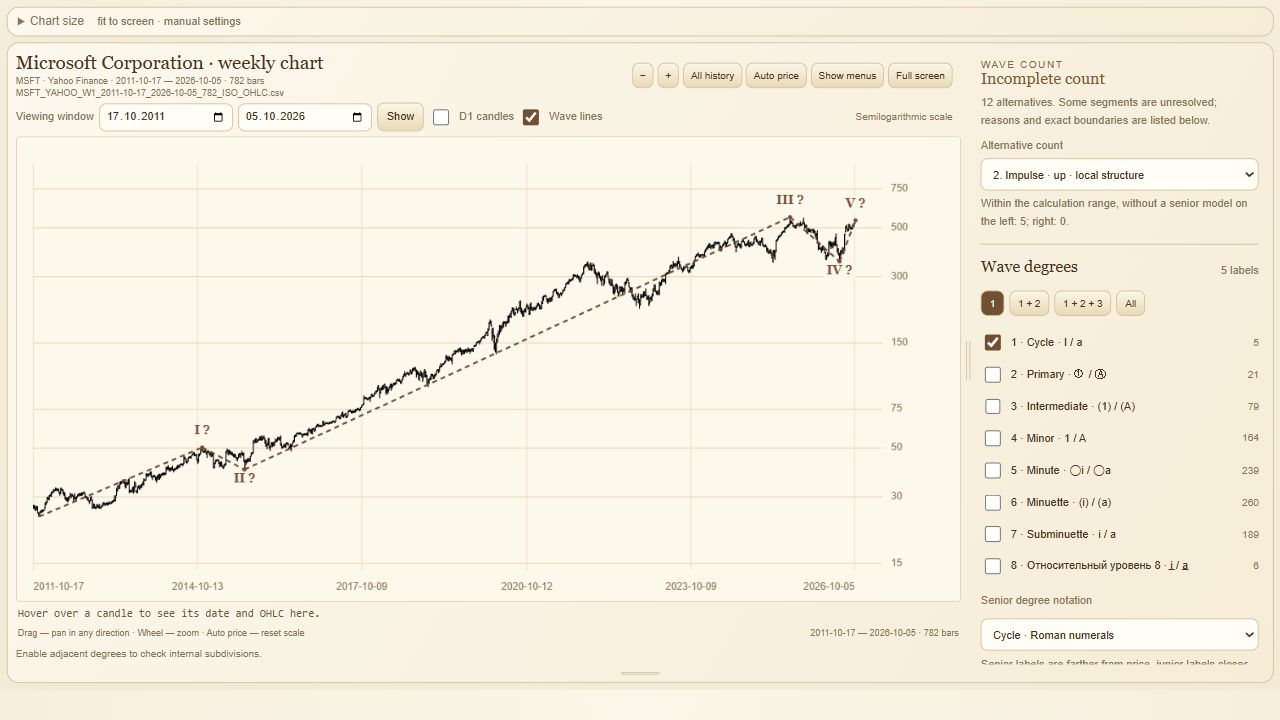
In either version, compare alternatives and enable the wave degrees you need. A count is an analytical candidate; a ? marks conditional or unconfirmed elements. More labels do not, by themselves, make a forecast better.
What you need to begin.
Both versions require a Windows computer. Light also needs internet and an installed module; it is not an installation-free workspace for a phone or Mac.
The owner provides access after your request and correspondence. Light permits one active client session; Pro activates on one computer using its ID. Available payment methods and networks are shown at checkout. Choose by your workflow rather than an assumed fixed calculation time.